Kit MCP Review: Connect Your AI Tool to Kit and Run Your Email Marketing Smarter
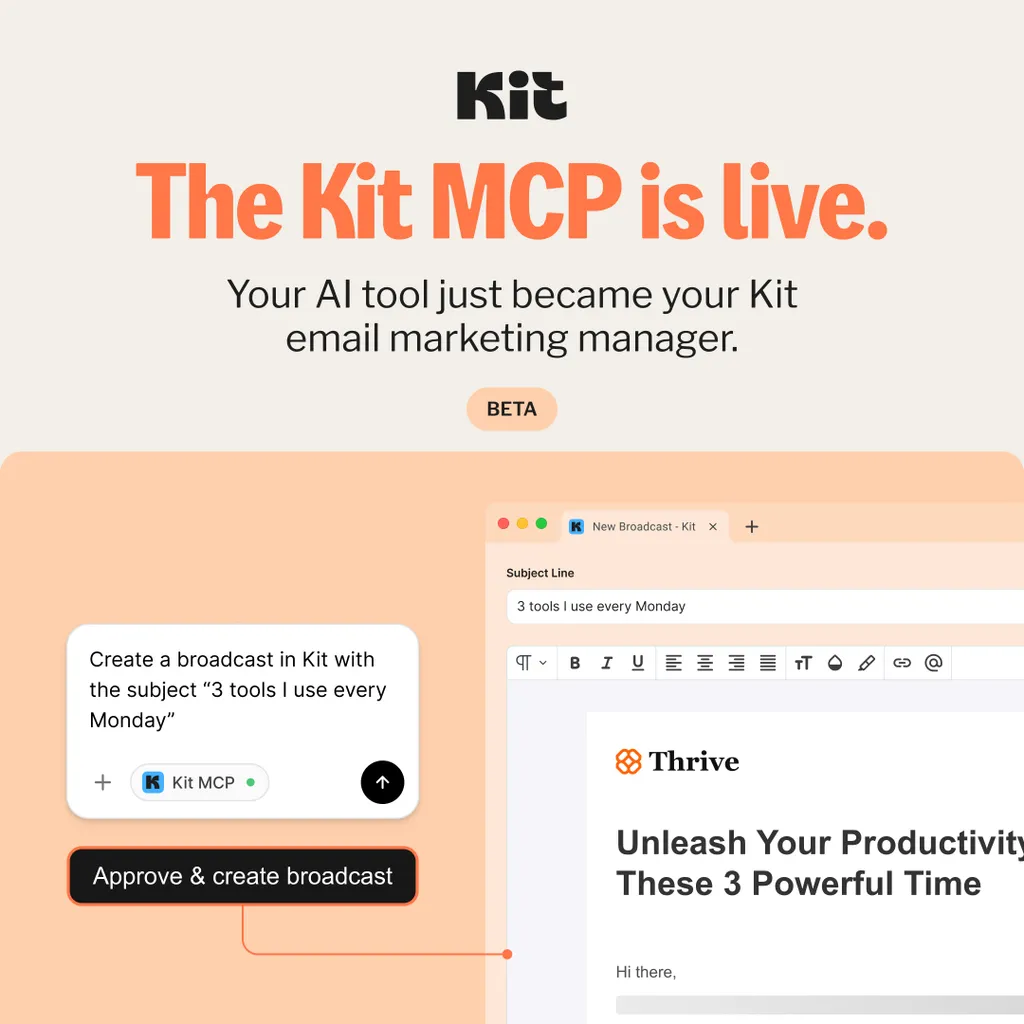
Kit MCP Has Just Changed the Way I Run My Email Marketing (And It Will Change Yours Too)
If you’ve ever sat staring at your email dashboard wondering why your open rates dropped, which subscribers are most engaged, or which sequence is converting best — and then spent 45 minutes clicking through reports trying to find the answer — this is for you.
Kit just launched something that I genuinely didn’t expect to get excited about.
It’s called Kit MCP (Model Context Protocol), and in plain English it means this: you can now connect Claude, ChatGPT, or any MCP‑compatible AI tool directly to your Kit account and have a real conversation about your email business — using your actual data, not generic advice.
I’ve been using Kit for roughly three years. In that time I’ve seen plenty of updates, new features, and “game‑changing” announcements that turned out to be fairly incremental improvements.
Kit MCP is different.
When I first saw the announcement I was curious rather than immediately sold — which is honestly my default reaction to anything that sounds like it could be genuinely useful. I’ve been testing it over the last day or so and I’m still in the early stages of getting my head around what it can actually do for my specific setup.
But here’s what I can already tell you: the concept is sound, the early experience is promising, and the potential for affiliate marketers running email‑driven businesses is real enough that I wanted to write about it now rather than wait until I’ve exhausted every use case.
Sometimes the most honest review is the one written while you’re still figuring it out — because that’s probably exactly where you are too.
What Kit MCP Actually Does (Without the Tech Jargon)
Most people use AI tools like Claude or ChatGPT by copying and pasting information into the chat window and asking for help. It works, but it has a fundamental limitation: the AI can only see what you show it.
It doesn’t know your subscriber count. It doesn’t know which tags you’re using. It doesn’t know which broadcast got a 40% open rate last month or which sequence is causing subscribers to drop off. You have to dig that information out of your dashboard, copy it across, and then ask your question.
Kit MCP removes that entire process.
When you connect your Kit account to your AI tool via MCP, the AI can directly read and act on your Kit account in real time. Your subscribers, tags, broadcasts, sequences, forms — all of it becomes visible and actionable from a single conversation window.
No tab switching. No copy‑pasting. No “let me just find that number” moments.
You ask a question. You get an answer based on your actual data. You take action — all without leaving the conversation.
For anyone running an affiliate business through email, this is a genuinely significant shift in how quickly you can move from insight to action.
Why This Matters Specifically for Affiliate Marketers
Most AI and email advice is written for big e‑commerce brands or SaaS companies with dedicated marketing teams. The use cases are often irrelevant for a solo affiliate marketer managing their own list and building content alongside everything else.
So let me be specific about why Kit MCP is particularly useful for someone in your position.
You can finally ask real questions about your real audience
Before Kit MCP, if you wanted to know something like “which subscribers clicked my affiliate link for Hostinger in the last 30 days but haven’t opened my last three emails?”, you’d have to build that segment manually, cross‑reference reports, and probably export a CSV.
With Kit MCP, you ask that question in plain language and get an answer in seconds.
That kind of granular audience insight used to be reserved for marketers with proper analytics teams. Now it’s a one‑line question in a chat window.
You can act on insights the moment you spot them
This is one of the most significant practical changes the integration offers.
Before, when you notice something interesting in your email data — a segment performing unexpectedly well, a pattern in which subscribers are clicking affiliate links, a sequence where people are dropping off — the natural reaction is to make a note and do something about it later.
Later usually means the insight sits in a to‑do list and loses its urgency.
With Kit MCP, the gap between spotting an insight and acting on it has collapsed. You see something interesting, you ask a follow‑up question, and you make the change — all in the same conversation. No context switching. No “I’ll come back to that.”
You can draft and schedule broadcasts without opening Kit
One of the more practical time‑savers: you can describe the email you want to send — the topic, the tone, the CTA, the segment — and have it drafted, reviewed, and scheduled without ever opening a separate tab.
For an affiliate marketer sending weekly emails alongside producing content, this kind of workflow compression adds up to meaningful time savings every single week.
You can segment and tag with precision, on the fly
Segmentation is one of the most powerful things you can do with an email list and one of the most tedious to do manually. With Kit MCP you can ask things like “tag everyone who clicked this link but hasn’t purchased” or “create a segment of subscribers who joined in the last 30 days and haven’t opened an email yet” and have it done immediately.
For an affiliate email strategy — where the right offer to the right segment at the right time is the whole game — this is a genuine competitive advantage.
How I’m Using Kit MCP Right Now (Early Impressions, Not a Final Verdict)
I want to be straight with you here: I’ve only been testing Kit MCP for a short time and I’m still in the practice phase — getting familiar with how to ask the right questions and what the integration can and can’t do in its current beta state.
But that’s actually useful context, because if you’re reading this on launch day you’re probably in the same position.
Here’s where I am so far.
The first thing I wanted to know
The question I’ve always wanted a fast answer to is: which subscribers on my list are actually engaging with affiliate content — clicking links, opening tool‑related emails — versus people who read my free content but never move towards a buying decision?
Previously getting a clean answer to that required cross‑referencing tags, clicking through broadcast reports, and building manual segments. With Kit MCP connected I can ask that question in plain language and start to see the picture without the dashboard archaeology.
I’m still refining how I ask the question to get the most useful answer — which tells you something honest about where the beta is right now. It’s powerful but it rewards people who are willing to learn how to prompt it well.
What I’m planning to test next
Once I’m more comfortable with the connection, the use cases I’m most interested in for my affiliate business are:
- Asking which email in my welcome sequence causes the most drop‑off — and getting that answer in seconds rather than clicking through multiple reports.
- Drafting broadcast emails for specific tagged segments without switching tabs.
- Spotting patterns in which subscribers click affiliate links and tagging them for more targeted follow‑up immediately rather than adding it to a to‑do list.
The honest early verdict
It’s a beta. There are rough edges. But the underlying idea — an AI tool that can actually see your email business and act on it in real time — is the right direction, and Kit have executed the concept well enough that it’s worth getting in early and learning how to use it properly.
If you’re already a Kit user and you use Claude or ChatGPT in your workflow, there’s no reason not to connect it today. The worst case is that you spend 10 minutes setting it up and decide to come back to it when it’s more polished. The best case is that it starts saving you meaningful time from week one.
Who Kit MCP Is For (And Who It Isn’t)
To be honest with you — because that’s the only way I recommend anything on The Strategic Affiliate — Kit MCP is not magic and it’s not for everyone right now.
It’s ideal for you if:
- You’re already using Kit as your email platform for your Traffic & Funnels
- You use Claude, ChatGPT, or another MCP‑compatible AI tool regularly.
- You’re comfortable with a beta product — it just launched and there will be rough edges.
- You want to move faster on email insights without building a bigger tech stack.
It’s probably not for you right now if:
- You’re not yet using Kit. If that’s the case, that’s a separate conversation worth having — our full email marketing strategy for affiliate promotions guide explains why Kit is my recommended platform for affiliates and how to get started.
- You don’t currently use AI tools in your workflow.
- You prefer to wait for a stable release rather than testing a beta.
If you’re already in the Kit ecosystem and using AI tools, there’s no good reason to wait.
How to Connect Kit MCP to Your AI Tool
Setup is simpler than you might expect:
- Make sure you have an active Kit account — 👉 [KIT AFFILIATE LINK]
- Go to your Kit settings and find the MCP connection option.
- Follow the connection steps for your AI tool of choice — Claude and ChatGPT are both supported at launch.
- Authorise the connection so your AI tool can read and act on your Kit data.
- Start a conversation and ask your first question about your list.
Kit’s own documentation walks through the specific technical steps depending on which AI tool you’re connecting. The whole process takes most people under 10 minutes.
The Bigger Picture: AI That Actually Knows Your Business
The reason most AI advice feels generic is because most AI tools don’t know your business. They know what you tell them in that session and nothing more.
Kit MCP is the first practical solution I’ve seen to that problem for email marketers. Your AI tool can finally see what you see — your actual subscribers, your actual data, your actual results — and help you act on it in real time.
For anyone building an affiliate income through content and email — which is the model I teach across at “How to start affiliate marketing” — that’s a meaningful step forward.
The gap between having a good email list and using it as well as it deserves to be used has always been time and technical friction. Kit MCP closes a significant part of that gap.
And right now, while it’s still in beta and most people haven’t connected it yet, is exactly the right time to get familiar with it — before it becomes something everyone else is using too.
👉 [KIT AFFILIATE LINK] — Connect your AI tool to Kit today.
FAQs: Kit MCP for Affiliate Marketers
1. What does MCP stand for and what does it actually mean in plain English?
MCP stands for Model Context Protocol — it’s a technical standard that allows AI tools like Claude and ChatGPT to connect directly to external apps and data sources. For Kit users, it means your AI tool can read your subscriber data, tags, sequences, and broadcasts in real time and take actions on your behalf, rather than just responding to information you paste into the chat manually. Think of it as giving your AI assistant a live window into your email business.
2. Is Kit MCP free to use?
Kit MCP is currently in beta and available to Kit users. Check your Kit account settings or Kit’s official documentation for the current availability and any plan requirements, as these details may change as the product moves out of beta. The Kit free plan remains one of the most generous starting points for affiliate marketers new to email marketing.
3. Is my subscriber data safe when I connect Kit to an AI tool via MCP?
Kit has built the MCP integration with security in mind, and the connection works through an authorised integration rather than giving the AI unrestricted access to your account. That said, as with any integration that connects your business data to a third‑party tool, it’s worth reviewing Kit’s privacy documentation and your AI provider’s data policies before connecting — particularly if your list contains sensitive subscriber information.
4. Which AI tools are compatible with Kit MCP?
At launch, Kit MCP is compatible with Claude and ChatGPT, both of which are among the most widely used AI tools for content creators and marketers. Kit has indicated that any MCP‑compatible AI tool should be able to connect — check Kit’s official documentation for an up‑to‑date list as more tools add MCP support over the coming months.
5. Do I need to be technical to set up Kit MCP?
No significant technical knowledge is required. The setup process involves connecting your Kit account to your AI tool through an authorised integration — similar in principle to connecting any two apps you already use. Kit provides step‑by‑step documentation and the process should take most users under 10 minutes from start to first conversation.
“Some of the links on this website are affiliate links. This means that if you click on a link and make a purchase, I may receive a small commission or other benefit, at no extra cost to you”.