How to Use Internal Links to Turn Blog Readers Into Email Subscribers
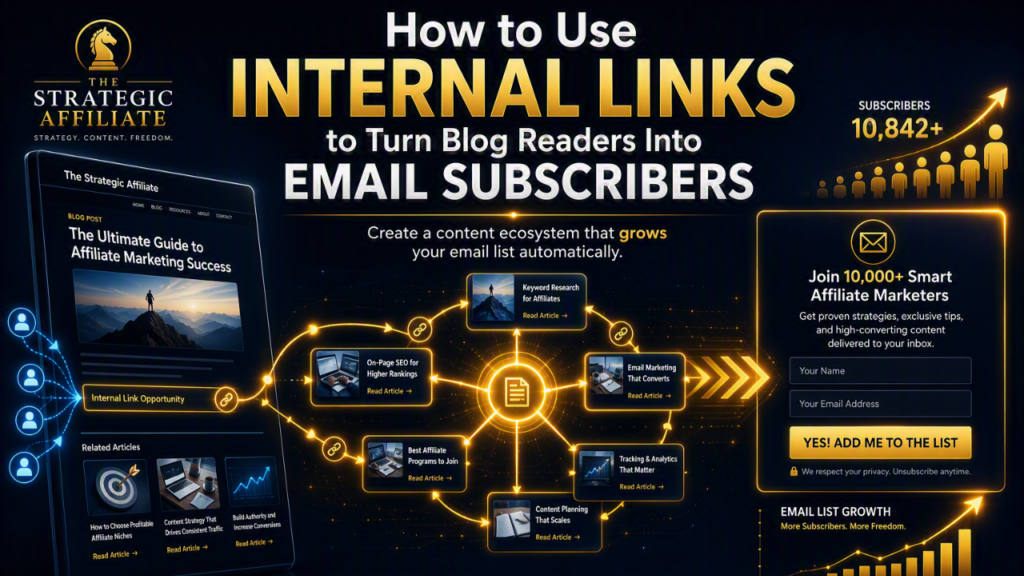
Getting somebody to read a blog post is a good result.
Getting them to join your email list is even better.
That does not mean every visitor should be pushed towards a signup form. Most people dislike that, and rightly so. If someone has landed on your website from Google with a simple question, your first job is to answer it properly.
But once you have helped them, the next question becomes important:
Where should they go next?
Many affiliate beginners lose potential subscribers because their blog posts act like dead ends. A reader finds an article, reads it, perhaps learns something useful, and then leaves. There is no clear path to a deeper guide, a relevant checklist or a page that explains what to do next.
Internal links can fix that.
Used properly, internal links guide readers from a quick answer to a more useful next step. That might be a beginner guide, a comparison article, a lead magnet landing page or your Traffic and Funnels Pillar Page. The aim is not to trap visitors inside your website. It is to help them continue when they want more help.
This is a simple strategy, but it can make a real difference to how your website performs. It helps readers find useful content, helps search engines understand your site, and creates more opportunities for people to join your email list.
In this guide, I will show you how to use internal links to turn blog readers into email subscribers without sounding pushy, overloading your pages or treating every visitor like a number.
What Internal Links Actually Do
An internal link is simply a link from one page on your website to another page on the same website.
For example, if you publish an article about choosing an affiliate niche and link to your guide on how to start affiliate marketing, that is an internal link.
If you link from a blog post about website traffic to your Traffic and Funnels Pillar Page, that is also an internal link.
Most website owners understand that internal links can help SEO. That is true, but it is only part of the picture.
Good internal links also help real people.
A reader may arrive on one article with one question:
“How do I choose an affiliate niche?”
Once they get an answer, they may have a second question:
“What do I do after I choose one?”
A useful internal link can take them to the right next guide.
Google’s guidance says internal links help people and Google make sense of a site and find related pages. It recommends descriptive, concise and relevant anchor text, with enough surrounding context for readers to understand where a link will take them. It also advises against generic link text such as “click here” and against cramming keywords into links.developers.google
That is worth remembering.
Internal links are not just an SEO task to complete after publishing. They are part of the reader experience.
For The Strategic Affiliate, the goal is to help someone move through a sensible learning path:
- They find an article that answers an immediate question.
- They read a related beginner guide.
- They see a relevant free resource.
- They join the email list because the resource solves their next problem.
- They receive useful follow-up emails.
- They learn about the right tools, strategies or offers when they are ready.
That is how traffic and funnels work together.
Why Blog Readers Leave Without Subscribing
Here is the truth: most blog readers will not join your email list simply because you put a form in the sidebar.
They may not notice it. They may not understand what they will receive. Or they may not be ready to hand over their email address.
A person is more likely to subscribe when three things happen:
- They have found your content genuinely useful.
- They understand the specific benefit of joining.
- The next step feels relevant to the problem they are trying to solve.
Internal links support all three.
They help the reader find a deeper answer. They give you a chance to demonstrate that your site is more than one useful article. And they lead naturally to a relevant opt-in offer.
The problem with dead-end content
A dead-end article usually looks like this:
- It answers a question.
- It contains no links to related guides.
- It has a generic newsletter form at the bottom.
- It offers no useful resource.
- It does not explain what the reader should do next.
- It ends with a vague sentence such as, “Thanks for reading.”
There is nothing wrong with a simple ending, but it misses an opportunity.
The reader may be thinking:
“That was useful. What should I do now?”
If your article does not answer that question, they will probably go back to Google.
The better approach
Instead of ending with a generic form, build a short content path.
For example, imagine a reader lands on this article:
“How to Choose an Affiliate Niche”
At relevant points in the article, you could link to:
- A guide on researching audience problems
- A post on checking whether a niche has affiliate potential
- Your How to Start Affiliate Marketing Pillar Page
- A landing page for an Affiliate Niche Selection Worksheet
The reader can choose the next step that fits them.
The worksheet is not a random interruption. It is a practical resource that helps them apply what they have just learned.
That is why they may subscribe.
Begin With the Reader Journey
Before you add internal links, think about where each article sits in your overall site journey.
Most affiliate beginners add links randomly. They remember an old post and drop in a link because it is vaguely related.
That is better than no linking, but it is not strategic.
Instead, ask what the reader needs before and after the current article.
A simple content journey
For a beginner affiliate website, the journey might look like this:
| Reader stage | Typical question | Useful content | Best next step |
|---|---|---|---|
| Curious | What is affiliate marketing? | Beginner overview article | How to start affiliate marketing guide |
| Starting | How do I choose a niche? | Niche selection guide | Niche worksheet landing page |
| Building | How do I create my website? | Website setup guide | Hosting comparison or site-launch checklist |
| Publishing | What should I write about? | Affiliate content planning guide | Content template or keyword research guide |
| Growing | How do I get traffic? | Traffic strategy article | Traffic checklist or Traffic and Funnels Pillar Page |
| Capturing | How do I build an email list? | Email-list guide | Lead magnet and email platform guide |
| Converting | Why do I get clicks but no sales? | Affiliate conversion guide | Funnel tutorial, comparison article or email sequence guide |
The point is not to force every visitor through the same route.
The point is to make the right route available.
A reader who is at the niche stage does not need a complicated tutorial on advanced conversion tracking. A person trying to improve affiliate sales may not need another basic explanation of what affiliate marketing means.
Your internal links should respect the reader’s current stage.
Create a Small Set of Key Pages
You do not need hundreds of pages before internal links can work well.
In fact, a new site often benefits from having a small number of strong “hub” pages that organise the rest of the content.
For The Strategic Affiliate, these could include:
- How to Start Affiliate Marketing Pillar Page
- Traffic and Funnels Pillar Page
- How to Build an Email List From a Brand-New Affiliate Website
- The 5-Email Welcome Sequence for New Affiliate Subscribers
- How to Write Affiliate Content That Gets Clicks Without Sounding Salesy
- Why Your Affiliate Website Gets Traffic But No Affiliate Sales
- A future Affiliate Niche Selection Pillar Page
- A future Affiliate Tools and Resources Page
These pages become your main destinations.
Each supporting blog post should link back to the most relevant hub page, while the hub page should link out to the detailed supporting posts.
For example:
- A post about lead magnets links to the email-list guide.
- The email-list guide links to the welcome-sequence article.
- The welcome-sequence article links to the Traffic and Funnels Pillar Page.
- The Traffic and Funnels Pillar Page links back to the relevant articles.
This creates a clear topic structure for readers.
It also makes it easier for you to decide where each internal link belongs.
Use Internal Links Before the Opt-In
One of the most useful ways to turn readers into subscribers is to avoid asking for the email address too early.
Give the reader a chance to get value first.
For example, someone lands on an article about getting their first affiliate traffic. They may not be ready to subscribe within the first ten seconds.
They are still deciding whether your advice is worth listening to.
Instead of placing a large email form directly under the first paragraph, you could give them an internal link to a deeper resource:
If you are still building the foundations, read my guide to how to start affiliate marketing before worrying about more advanced traffic tactics.
Later in the article, after explaining a practical method, you can introduce a related lead magnet:
If you want a simple weekly plan to put these ideas into action, download the free Beginner Affiliate Traffic Checklist.
The internal link helps the reader deepen their understanding. The lead magnet link gives them a useful reason to subscribe.
That is a much more natural sequence.
Think in two steps
A good internal-link-to-email path often looks like this:
- Blog post to related guide: Help the reader understand the bigger topic.
- Related guide to lead magnet: Offer a practical resource that helps them take action.
For example:
“How to Write Affiliate Content That Gets Clicks Without Sounding Salesy”
links to
“Why Your Affiliate Website Gets Traffic But No Affiliate Sales”
which links to
“Affiliate Content Conversion Checklist” landing page.
The first article helps with writing. The second explains the conversion problem. The checklist helps the reader audit their own content.
That is a logical journey.
Match the Lead Magnet to the Content
The best email opt-ins are closely related to the page the reader is already viewing.
This is where many UK creators lose subscribers.
They create one general freebie, then place it everywhere. It might be called something like “My Ultimate Online Business Guide”. It is broad, vague and not clearly connected to most articles.
A more relevant offer will usually feel more useful.
Good content-to-lead-magnet matches
| Blog post topic | Relevant internal link | Strong lead magnet |
|---|---|---|
| How to choose an affiliate niche | Niche research guide | Affiliate Niche Selection Worksheet |
| How to start an affiliate website | Hosting and setup guide | Affiliate Site Launch Checklist |
| How to write affiliate content | Product-review guide | Affiliate Content Planning Template |
| How to get traffic | SEO and promotion guide | Beginner Affiliate Traffic Checklist |
| How to build an email list | Welcome-sequence guide | Five-Email Welcome Sequence Template |
| Why traffic does not convert | Funnel guide | Affiliate Conversion Audit Checklist |
| How to compare affiliate tools | Tool review guide | Affiliate Tool Comparison Template |
The lead magnet should solve the immediate “what now?” problem.
After a reader learns how to choose a niche, they need a way to assess their ideas. A worksheet helps.
After they learn how to get traffic, they need a practical plan. A checklist helps.
After they learn why their traffic is not converting, they need a way to diagnose the issue. An audit checklist helps.
This is much stronger than offering the same vague newsletter signup form on every page.
Use Contextual Links Inside the Article
Contextual links are links placed naturally inside the main body of an article.
They are often the most useful internal links because they appear when the reader is already thinking about a related question.
For example, in an article about email lists, you might write:
Before you build a welcome sequence, you need a clear reason for people to join your list. This guide on how to build an email list from a brand-new affiliate website explains how to create a simple lead magnet and place opt-in forms where readers will actually see them.
That link makes sense in the sentence.
It tells the reader what they will gain by clicking. It supports the point you are making. It does not interrupt the flow.
Write anchor text that sounds natural
Anchor text is the visible, clickable text in a link.
Good anchor text tells the reader what to expect.
Examples:
- How to start affiliate marketing
- Build an email list from a new affiliate website
- The five-email welcome sequence for new subscribers
- Traffic and Funnels Pillar Page
- Affiliate content conversion checklist
- How to choose a profitable affiliate niche
Less useful examples:
- Click here
- Read more
- This post
- Learn more
- Resource
- Link
Google recommends anchor text that is descriptive, reasonably concise and relevant both to the current page and the destination page. The words around the link should also give context.developers.google
That is good advice for human readers too.
Do not force exact-match keywords
You do not need every link to repeat the exact page keyword.
If your destination article is called “How to Build an Email List From a Brand-New Affiliate Website”, you can vary the anchor text naturally:
- Build your first email list
- Get subscribers from a new affiliate site
- Set up an email list before you have much traffic
- Start collecting email subscribers
- Read the full email-list guide
The link should sound like part of a normal sentence.
Use “Bridge” Links to Move Readers Forward
A bridge link connects the reader’s current problem to their next likely problem.
This is especially useful for affiliate beginners because most people do not complete their entire website plan in one sitting.
They take one step, hit the next question, then search again.
Your internal links can keep them on a useful path.
Example: from niche to website
Imagine your article explains how to choose an affiliate niche.
Near the end, you could write:
Once you have chosen a niche, the next job is turning that idea into a simple website people can find and trust. Read my beginner guide to starting an affiliate website before you worry about logos, advanced tools or social-media growth.
That is a bridge link.
Example: from content to conversion
In an article about writing affiliate reviews, you could write:
Useful content is only part of the job. If readers are finding your posts but not clicking or buying, this guide explains why affiliate websites get traffic but no sales.
Again, the link answers the next logical question.
Example: from traffic to subscribers
In a traffic article, you might write:
More visitors are useful, but you need a way to stay in touch with people who are not ready to buy yet. Learn how to turn new blog readers into email subscribers with a simple lead magnet and follow-up process.
Bridge links create momentum.
They make your site feel like a helpful resource rather than a collection of separate articles.
Build One Clear Subscription Path
Internal links can send readers to many useful pages, but your subscription route should be simple.
Do not create five competing lead magnets and expect the visitor to work out which one matters.
For each major content category, choose one main opt-in resource.
For example:
| Category | Core reader problem | Main lead magnet | Landing page goal |
|---|---|---|---|
| Starting out | I do not know what to do first | Affiliate Site Launch Checklist | Help visitors create their first website plan |
| Niche selection | I do not know which niche to choose | Affiliate Niche Selection Worksheet | Help visitors assess their niche ideas |
| Content | I do not know what to publish | Affiliate Content Planning Template | Help visitors plan useful articles |
| Traffic | I do not know how to get visitors | Beginner Affiliate Traffic Checklist | Help visitors create a weekly traffic routine |
| I do not know what to send subscribers | Five-Email Welcome Sequence Template | Help visitors build their first automation | |
| Conversion | I get traffic but no sales | Affiliate Conversion Audit Checklist | Help visitors identify weak points |
Now every supporting article can point towards the relevant core resource.
Keep landing pages focused
A lead magnet landing page should have one job: explain the resource and invite the reader to subscribe.
It should include:
- A clear headline
- A short explanation of the problem it solves
- A few practical benefits
- A simple email form
- A clear privacy note
- A direct download or delivery process
- A short note about what emails they will receive
For example:
Find Out Why Your Affiliate Traffic Is Not Converting
Download the free Affiliate Conversion Audit Checklist and identify the most common reasons visitors leave without clicking or buying.
You will check:
- Search intent and page relevance
- Affiliate link placement
- Product-to-reader fit
- Trust signals and disclosures
- Merchant-page issues
- Your best next action
That is specific.
A visitor who has just read about traffic but no sales can see why it is relevant.
Add Links at Natural Decision Points
The best internal links are often placed at moments when the reader naturally needs another answer.
Look for these points while editing:
- After you introduce a problem
- After you explain a key concept
- After you describe a common mistake
- After you complete a practical step
- When you mention a subject covered in more depth elsewhere
- Near the end of the article, when the reader needs a next action
Example placements
In a guide about affiliate content, you could write:
Before choosing products to recommend, make sure you understand the reader’s intent. My guide to why affiliate websites get traffic but no sales shows why the wrong traffic and mismatched offers can stop a page from converting.
In a guide about email list building, you could write:
Once somebody subscribes, do not send the download and disappear. Use a simple five-email welcome sequence to help them take the next steps.
Near the end of a traffic article, you could write:
If your content is attracting visitors but they are leaving without taking action, download the Beginner Affiliate Traffic Checklist and use it to plan the next four weeks.
Each link has a purpose.
It either teaches more, supports a decision or moves the reader towards a relevant subscription offer.
Use Pillar Pages as Navigation Hubs
Pillar pages are broad, in-depth guides that link to more detailed supporting articles.
They are valuable because they help new readers understand where to start.
For The Strategic Affiliate, the two important pillar pages are:
These should act as navigation hubs, not just long articles.
A good pillar page should introduce the major stages of the topic and link clearly to more detailed resources.
For example, the Traffic and Funnels Pillar Page could link to articles on:
- Finding beginner-friendly traffic sources
- Keyword research
- Writing affiliate content that earns clicks
- Building an email list
- Creating a five-email welcome sequence
- Using internal links
- Diagnosing traffic with no affiliate sales
- Improving calls to action
- Creating conversion-focused comparison content
Then, every supporting article should link back to the pillar page when it is relevant.
This gives readers two choices:
- Go deeper into the exact issue they are facing.
- Step back and see the whole system.
That is useful for readers who feel stuck or overwhelmed.
It also reinforces the idea that predictable affiliate income comes from connected parts working together, not one trick or one viral blog post.
Do Not Link Too Much
Internal linking is useful, but too many links can make an article hard to read.
If every other sentence contains two or three links, readers may stop noticing them. They may also feel that the page is trying to send them everywhere except through the article they came to read.
Keep the reader’s attention on the main point.
A practical starting point for a typical blog post might be:
- One or two links to relevant foundational guides
- One or two links to supporting articles
- One relevant link to a lead magnet landing page
- One clear next-step link near the conclusion
That is not a strict rule. Some long pillar pages will need more links. Some short articles may need fewer.
The real test is simple:
Does every link help the reader understand, decide or do something useful next?
If not, remove it.
Google also advises against chaining links together without useful surrounding text. Clear context helps readers distinguish the options and helps search engines understand the relationship between pages.developers.google
Track What Readers Actually Do
You do not need to guess whether your internal links are working.
Track them.
At the very least, look at:
- Which pages bring the most traffic
- Which internal links receive clicks
- Which pages lead to your lead magnet landing pages
- Which landing pages generate email signups
- Which articles send the most subscribers
- Which subscribers later return, read more content or click relevant offers
You can use Google Analytics, your email platform, a link-tracking tool or a privacy-focused analytics platform. The exact tool matters less than paying attention to the journey.
A simple review process
Once each month, choose your top five traffic articles and ask:
- Does this page link to the most relevant pillar page?
- Does it include a useful bridge link to the next problem?
- Does it offer a relevant lead magnet or link to one?
- Is the link placed after useful content, rather than pushed at the start?
- Does the anchor text clearly explain what the reader will get?
- Is there a visible next step at the end?
Then update one or two pages at a time.
Small improvements across your existing content can be more valuable than constantly publishing new posts without improving what is already working.
Respect Consent and Reader Trust
Your internal links should encourage voluntary subscriptions, not trick people into joining.
If you run an email list for UK readers, your opt-in process needs to be clear about what people are agreeing to receive. The ICO says consent must be freely given, specific, informed and unambiguous, shown through a clear affirmative action. It says silence, inactivity and pre-ticked boxes do not count as valid consent.ico
The ICO also says consent requests should be prominent, concise, easy to understand and separate from general terms. People should be told who is collecting their data, why it is being used and how they can withdraw consent.ico
For practical purposes, your signup form should make clear:
- Who is sending the emails
- What the subscriber will receive
- How often you may email them, where practical
- That they can unsubscribe at any time
- Where to find your privacy policy
For example:
Get the free Affiliate Site Launch Checklist and practical beginner guidance from The Strategic Affiliate. You can unsubscribe at any time. Read the privacy policy.
Keep it simple.
Do not use pre-ticked marketing boxes. Do not add people to your list because they downloaded a file without clear consent for ongoing marketing. Do not make the free resource feel conditional on agreeing to unrelated promotional emails.
Trust is not just a legal consideration. It is what makes people willing to open your emails in the first place.
A Practical Internal-Link Plan
You can improve your existing website this week without rebuilding everything.
Step 1: Choose three core lead magnets
Start with three resources linked to your biggest topics.
For example:
- Affiliate Site Launch Checklist
- Beginner Affiliate Traffic Checklist
- Affiliate Conversion Audit Checklist
You can add niche and email resources later.
Step 2: Identify your top 10 articles
Use Search Console or your analytics platform to find the articles already receiving visitors.
These are the best pages to improve first because they already have an audience.
Step 3: Map the next question
For each article, write down:
- What question does this article answer?
- What is the next question the reader is likely to ask?
- Which existing guide answers that next question?
- Which lead magnet would help the reader take action?
Step 4: Add three purposeful links
For each priority article, add:
- One link to a related foundational or pillar page
- One bridge link to a more specific supporting guide
- One link to a relevant lead magnet landing page
Write each link as part of a normal, useful sentence.
Step 5: Improve the article ending
Replace “thanks for reading” with a helpful next step.
For example:
If you are still building the foundations, start with the How to Start Affiliate Marketing Pillar Page. If you already have content and want to turn more readers into subscribers, explore the Traffic and Funnels Pillar Page and download the checklist that matches your next challenge.
Step 6: Review results after a few weeks
Look for:
- More clicks from blog articles to lead magnet pages
- More landing-page visits
- More email subscribers
- Better engagement with related content
- Better understanding of which topics produce subscribers
This will help you decide what to create next.
Beginner Mistakes to Avoid
1. Adding links randomly
A link should have a clear purpose.
Do not link to old posts simply because they exist. Link to the page that best answers the reader’s next question.
2. Sending every reader to one generic newsletter form
A visitor reading about traffic needs a different next step from someone choosing a niche.
Match the opt-in resource to the article topic.
3. Using vague anchor text
“Click here” does not explain what the reader will find.
Use clear, natural text such as “read the beginner email-list guide” or “download the affiliate traffic checklist”.
4. Linking too early and too aggressively
Let the reader receive useful help before you ask them to take another step.
A link is more effective after you have earned attention and explained why the next resource is relevant.
5. Overloading articles with links
Too many links make a page feel cluttered.
Choose a small number of relevant links that support the reader journey.
Key Takeaways
Internal links can do far more than help with site structure.
They can guide readers from a simple blog post to the next useful resource, and from there to a lead magnet that gives them a clear reason to subscribe.
The process is straightforward:
- Start with the reader’s current question.
- Identify their likely next question.
- Link to the best guide that answers it.
- Offer a lead magnet that helps them put the advice into action.
- Use descriptive anchor text and natural surrounding context.
- Build pillar pages that organise your main topics.
- Track which articles send readers to signup pages.
- Keep the subscription process clear, voluntary and relevant.
Most affiliate beginners do not need more random traffic. They need to make better use of the readers already arriving on their site.
A well-planned internal-linking system helps you do that. It connects content, lead magnets, email follow-up and relevant recommendations into one useful journey. Over time, that is how traffic and funnels support a stronger affiliate income system and more predictable affiliate income.
For more beginner guides, traffic strategies and practical funnel tutorials, explore The Strategic Affiliate Traffic and Funnels Pillar Page. If you are still building the basics, start with the How to Start Affiliate Marketing Pillar Page.