How to Document Your Affiliate Workflow: So Your Business Doesn’t Depend on Memory
You sit down to update an affiliate article and realise you cannot remember which links you checked last time. The product notes are somewhere in a spreadsheet. There is an unfinished email in another tab. And you are fairly sure you planned to change the introduction, but you cannot remember why.
None of these jobs is particularly difficult. The problem is having to work out what needs doing before you can do it.
When you run an affiliate website on your own, it is easy to keep the process in your head. You know how to publish an article, send an email and check your commissions. Writing it down can feel unnecessary.
Until you miss something, take a week off or try to hand a task to somebody else.
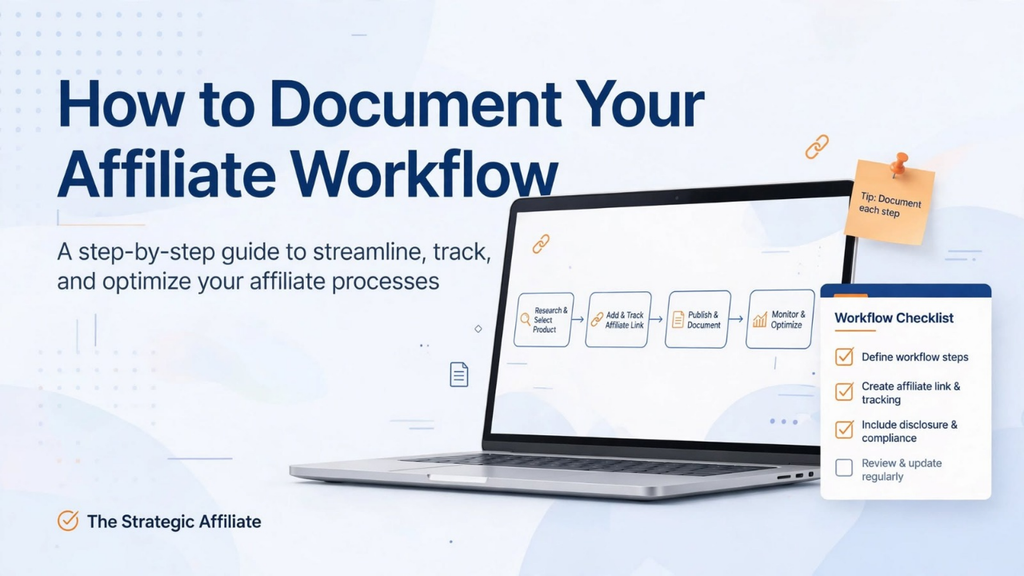
Documenting your affiliate workflow gives recurring jobs a clear starting point and a reliable finish. You do not need an operations manual. A few useful checklists and templates are enough to get started.
Here is how to build them without turning a straightforward task into another project you never finish.
What Is an Affiliate Workflow?
An affiliate workflow is the sequence of steps you follow to complete a particular job.
For example, publishing a product comparison might involve:
- Choosing the question you want to answer.
- Researching the products.
- Checking the affiliate programme details.
- Writing and editing the article.
- Adding links and appropriate advertising disclosures.
- Checking the page on mobile.
- Publishing and promoting it.
- Recording when it needs reviewing.
You probably follow some version of this already. Documentation simply makes the process visible.
It helps to distinguish between three things:
- A workflow shows the order of the work.
- A checklist reminds you what to check.
- A template gives you a reusable starting structure.
You do not need all three for every task. A quick link check might need only a checklist. Publishing a detailed buying guide could benefit from a workflow, a research template and a final publishing checklist.
The aim is to remove uncertainty, not create paperwork.
Start With Jobs You Repeat, Not Your Entire Business
The easiest way to make documentation overwhelming is to decide you will document everything.
Do not start there.
Choose one job you complete regularly, particularly one that makes you stop and think, “What do I normally do next?”
For affiliate beginners, useful starting points include:
- Publishing a new blog post.
- Updating an existing product review.
- Adding a new affiliate offer.
- Preparing a weekly email.
- Checking important affiliate links.
- Reviewing traffic and commissions.
Choose the task that causes the most repeated friction.
Perhaps you publish articles without remembering to add internal links. Perhaps every newsletter starts with you searching for the right template. Perhaps you check commissions regularly but never record what you found.
Those are practical problems with manageable solutions.
If you only publish twice a month, begin with your article workflow. You do not need a documented process for recruiting a team you do not have.
Step 1: Capture the Process While You Do the Job
You do not need to reconstruct the perfect process from memory. Record what happens next time you do the work.
Open a document beside your usual tools and write down the main actions as you complete them.
For an article update, your rough notes might look like this:
- Open the existing article.
- Check whether the introduction still matches the reader’s question.
- Visit the merchant’s product page.
- Check the product is still available.
- Review prices and product details mentioned in the article.
- Test the affiliate links.
- Replace outdated screenshots.
- Check the call to action.
- Record the update in the content tracker.
That is a useful first draft.
Do not worry about polished wording yet. Your first job is to capture the actual process, including the small checks you normally do without thinking.
Once you finish, look for gaps.
Did you check the published page, or only the editor preview? Did you record which claims needed changing? Did you leave yourself a note about what to review next time?
Add the missing steps while the work is still fresh.
Step 2: Give Each Workflow a Clear Start and Finish
“Update content” is too vague to be a useful instruction.
Which content? What needs checking? When is the task complete?
A documented workflow should answer those questions.
Use this simple structure:
Reusable workflow template
- Task name:
- Purpose:
- Start when:
- Tools or files needed:
- Steps:
- Final checks:
- Complete when:
- Where to record completion:
- Last reviewed:
For example:
Example: Update an affiliate product review
- Task name: Review and update an existing product review.
- Purpose: Keep the recommendation accurate, useful and relevant.
- Start when: The scheduled review date arrives or a significant product change is identified.
- Tools or files needed: Article editor, live article, merchant page, affiliate dashboard and content tracker.
- Steps: Check product details, review the recommendation, update the copy, test links and inspect the published page.
- Final checks: Advertising disclosure is clear, links lead to the intended destination and the article displays properly on mobile.
- Complete when: The live article has been checked and any unresolved issues have been recorded.
- Where to record completion: The article’s row in the content tracker.
- Last reviewed: Add the date the instructions were last checked.
That “complete when” line matters.
Without it, a task can remain half-finished because nobody has defined what finished means.
Step 3: Write Checklist Items That Describe Actions
A useful checklist tells you what to do. It should not require you to interpret your own notes.
Compare these two versions:
- Check SEO.
- Confirm the page title describes the article, review the meta description and add relevant internal links.
The second is more usable because it names the actions.
The same applies to affiliate links.
“Check links” could mean several things. A clearer instruction is:
“Open each affiliate link, confirm the destination is relevant and check that the link uses the correct tracking details.”
Keep each item focused. If one checkbox contains six separate jobs, split it up.
You also do not need instructions for every mouse click. Write enough detail to prevent confusion, especially at the points where mistakes are likely.
For instance, “preview on mobile” is usually sufficient if you already know how. If a particular comparison table regularly breaks on smaller screens, add a specific check for that table.
A Copy-and-Use Affiliate Article Publishing Checklist
The following checklist gives you a starting point. Remove anything irrelevant and add checks that match your website.
Before writing
- Define the reader’s main question.
- Decide what the article should help them understand or choose.
- Identify a relevant next step for the reader.
- Collect reliable sources and current product information.
- Check whether an existing article already covers the same need.
During drafting
- Answer the main question early.
- Explain who the product or approach suits.
- Include relevant limitations and alternatives.
- Separate personal experience from information gathered through research.
- Use UK prices, terminology and availability where relevant.
- Avoid unsupported claims about savings, performance or earnings.
Before publishing
- Edit for clarity, repetition and unnecessary wording.
- Check names, figures and product details.
- Add appropriate advertising identification for affiliate content.
- Test affiliate links and relevant internal links.
- Check headings, images and tables.
- Review the page title and meta description.
- Preview the article on desktop and mobile.
- Confirm that the call to action matches the reader’s needs.
After publishing
- Open the live page and inspect it.
- Check the most important links again.
- Add the article to the content tracker.
- Record the publication date.
- Schedule a review based on how quickly the information may change.
- Add a relevant internal link from an existing article where useful.
- Complete the planned promotion.
For UK creators, advertising identification deserves a proper place in the process. ASA guidance says affiliate advertising must be obviously identifiable. The appropriate treatment depends on the content: an entire affiliate article may need identifying as advertising, while mixed editorial content may require the relevant sections and links to be identified. A disclosure hidden at the bottom is unlikely to be sufficient.
Make this a publishing check, rather than something you hope to remember after the article goes live.
Step 4: Use Templates for Recurring Decisions
Checklists help you avoid omissions. Templates help you avoid starting from a blank page.
A good template prompts you to collect useful information without forcing every article into identical wording.
Product research is a good example. If you research one product thoroughly but gather only basic details for another, writing a fair comparison becomes awkward.
A consistent research template gives you comparable notes.
Affiliate offer research template
- Product or service:
- Merchant:
- Intended customer:
- Problem it helps solve:
- Main features relevant to that customer:
- Current UK price or pricing source:
- UK availability or restrictions:
- Important limitations:
- Reason to recommend it:
- Who should consider an alternative:
- Affiliate network or programme:
- Commission structure:
- Relevant promotional restrictions:
- Source links:
- Date checked:
Record where you found important programme details rather than relying on an old note. If the terms change, you need to know where to verify them.
You could use this template when comparing email platforms for a small UK business. Instead of collecting a long list of features, focus on the buyer’s actual concerns: cost, ease of use, required functionality and limitations.
The template supports your judgement. It does not replace it.
A Simple Content Brief Template
A content brief records the decisions you want to make before drafting.
It does not need to be a lengthy document. For a straightforward article, a few lines may be enough.
Reusable content brief
- Working title:
- Intended reader:
- Main question:
- What the reader should understand by the end:
- Primary search phrase:
- Related questions worth answering:
- Main sections:
- Examples or evidence needed:
- Relevant affiliate offer, if any:
- Internal links to include:
- Reader’s next step:
- Draft deadline:
- Status:
Imagine you are planning an article about choosing website hosting.
“Write about hosting” leaves too much undecided.
A more useful brief might say:
“Help a beginner setting up a small WordPress affiliate website understand the hosting features they need, the renewal costs to check and the limitations of the options being compared.”
That gives the article a clear job.
It also helps connect your content to your wider affiliate income system. Each piece has a purpose, rather than existing simply because you needed something to publish.
Step 5: Document Your Email Routine
Email is another recurring job that benefits from a short checklist.
It is easy to concentrate on the writing and overlook the destination page, recipient group or test email.
You do not need a rigid script. You need a dependable preparation process.
Weekly email checklist
- Choose one main topic.
- Decide which subscribers should receive it.
- Write a subject line that accurately reflects the email.
- Give the reader a useful explanation, example or recommendation.
- Choose one main next step.
- Check any product details or time-sensitive claims.
- Add appropriate advertising identification where needed.
- Test every link.
- Send yourself a test email.
- Check the sender details, layout and unsubscribe link.
- Confirm the recipients and scheduled time.
- Record what was sent and where it linked.
A simple campaign record can contain:
- Send date.
- Subject.
- Main topic.
- Destination page.
- Relevant offer.
- Results.
- Notes for the next email.
The notes are particularly valuable. “Readers replied with questions about renewal costs” gives you something useful to work with next time.
Step 6: Create a Short Weekly Review
A review workflow should help you decide what to do next, not merely collect numbers.
Start with a small set of questions:
- What work did I complete?
- Which pages or campaigns received attention?
- Did visitors take the next step I intended?
- Did any links, products or offers need attention?
- What is the most useful improvement for next week?
Use a short record:
Weekly affiliate review template
- Week beginning:
- Content published:
- Content updated:
- Emails or promotions completed:
- Relevant traffic observations:
- Affiliate clicks:
- Reported commissions:
- Problems found:
- One priority for next week:
- Questions needing more evidence:
Keep the distinction between an observation and an explanation.
“Affiliate clicks fell this week” is an observation.
“Readers no longer trust the offer” is an explanation you would need evidence to support.
If your numbers are small, avoid rewriting your strategy every time they move. Record what happened, check for obvious problems and look for a useful pattern over time.
This keeps your attention on improving traffic and funnels rather than reacting to every quiet day.
Step 7: Keep Your Documentation in One Obvious Place
The best documentation tool is one you will actually open.
A shared folder, a simple workspace or a clearly organised document can be enough. You do not need specialist software to create a usable process.
A basic structure might look like this:
- Content planning.
- Research templates.
- Publishing checklists.
- Email workflows.
- Affiliate offer records.
- Performance reviews.
Give documents plain names.
“Product Review Update Checklist” is easier to find than “Content Process Final Version 4”.
Keep one master copy of each template. Duplicate it for individual jobs rather than repeatedly editing the original.
Where a workflow needs another resource, include a direct link to it. If the publishing checklist mentions the content tracker, make the tracker easy to reach.
Do not store passwords, recovery codes or sensitive customer information in general workflow documents. Record how authorised access is obtained, not the credentials themselves.
Step 8: Test the Instructions on a Real Task
Documentation is not finished when you have written it. It needs to work.
The next time you perform the task, follow the instructions in order.
Notice where you hesitate:
- Is a step missing?
- Does an instruction assume knowledge you have not recorded?
- Is a linked template difficult to find?
- Are you doing checks that add no value?
- Is the finishing point clear?
Make small corrections as you go.
You can also use the “week away” test:
“Could I return after a week off and complete this job without reconstructing the process?”
Later, if you work with a freelancer or assistant, ask them to explain where the instructions were unclear. Their questions reveal gaps you may no longer notice.
The aim is not to document every possible exception. It is to make the normal job straightforward and show what to do when something falls outside it.
How Much Detail Is Enough?
Write more detail where a mistake would matter. Keep familiar, low-risk steps short.
An image upload may need one line. A change to an important affiliate link may need several checks.
For tasks involving judgement, record the decision criteria rather than pretending there is always one correct answer.
Instead of:
“Choose the best product.”
Write:
“Assess suitability for the intended reader, relevant limitations, UK availability and the evidence behind the recommendation.”
Then record why you made the choice.
This is particularly useful when an attractive commission could distract you from a poor fit. Your process should prompt you to consider the reader before the payout.
Five Beginner Mistakes to Avoid
1. Documenting everything before doing the work
It is tempting to organise the entire business before publishing another article.
The result can be an impressive folder and very little progress.
Start with one recurring job. Document it, use it and improve it before expanding.
2. Writing vague instructions
“Optimise the article” is not a checklist item. It is a heading for work you have not defined.
Replace vague verbs with observable actions. Someone following the checklist should know what they are checking and when they have finished.
3. Making the process too rigid
Templates become unhelpful when they force every article, email or review into the same shape.
Keep essential checks consistent, but allow the content to suit the reader’s question.
A product comparison and a troubleshooting guide do not need identical structures.
4. Keeping too many versions
If there are three publishing checklists, you will eventually use the wrong one.
Maintain a clear master version. Archive outdated copies and update links when you replace a document.
Add a “last reviewed” date so you can see when the instructions were checked.
5. Treating documentation as an income guarantee
A documented workflow can organise your work. It cannot guarantee traffic, sales or predictable affiliate income.
You still need useful content, appropriate offers and an effective route from interest to action.
Think of documentation as support for the business, not proof that the business model works.
A Practical Way to Start Today
Set aside a short working session and choose the next recurring task you already need to complete.
Then:
- Open a blank document.
- Name the task clearly.
- Write down what starts it.
- Record the main steps while doing the work.
- Add the final checks.
- Define what “complete” means.
- Save the document somewhere obvious.
Stop there.
You do not need matching covers, a complicated dashboard or twenty unused templates.
On the next run, improve the instructions. Once the first workflow is useful, document a second.
This approach keeps documentation attached to real work instead of letting it become a separate administrative burden.
Key Takeaways
You do not need to remember every detail of running an affiliate website. You need a reliable way to find and follow the steps that matter.
Keep these principles in mind:
- Start with one recurring job.
- Capture the process while doing it.
- Give each workflow a clear trigger and finish.
- Use checklists for checks and templates for reusable structures.
- Record important decisions as well as actions.
- Keep one current version in an obvious place.
- Review the instructions when the process changes.
A useful workflow is not necessarily long. It is clear enough to help you do the job properly when you are busy, distracted or returning after a break.
Build a Process You Can Return To
Your affiliate business should not depend on remembering what you did three Tuesdays ago.
Start with the job you repeat most often. Write down the steps, use them next time and adjust anything that gets in the way.
For more help connecting these routines to your wider business, explore The Strategic Affiliate Systems page. It brings together the broader approach to making your affiliate work more structured and trackable.
If deciding what to publish is where you get stuck, The Affiliate Content Planning Workbook can help you organise new articles, existing-content updates and seasonal opportunities into a practical four-week plan. Use it to decide what needs doing, then use your checklists to guide how you do it.